
doe
A gentle PDF editor for Windows. Mark up, rewrite and reorganise PDFs, and everything stays on your computer.

Everything you need to do to a PDF, nothing you don't.
Mark up any PDF
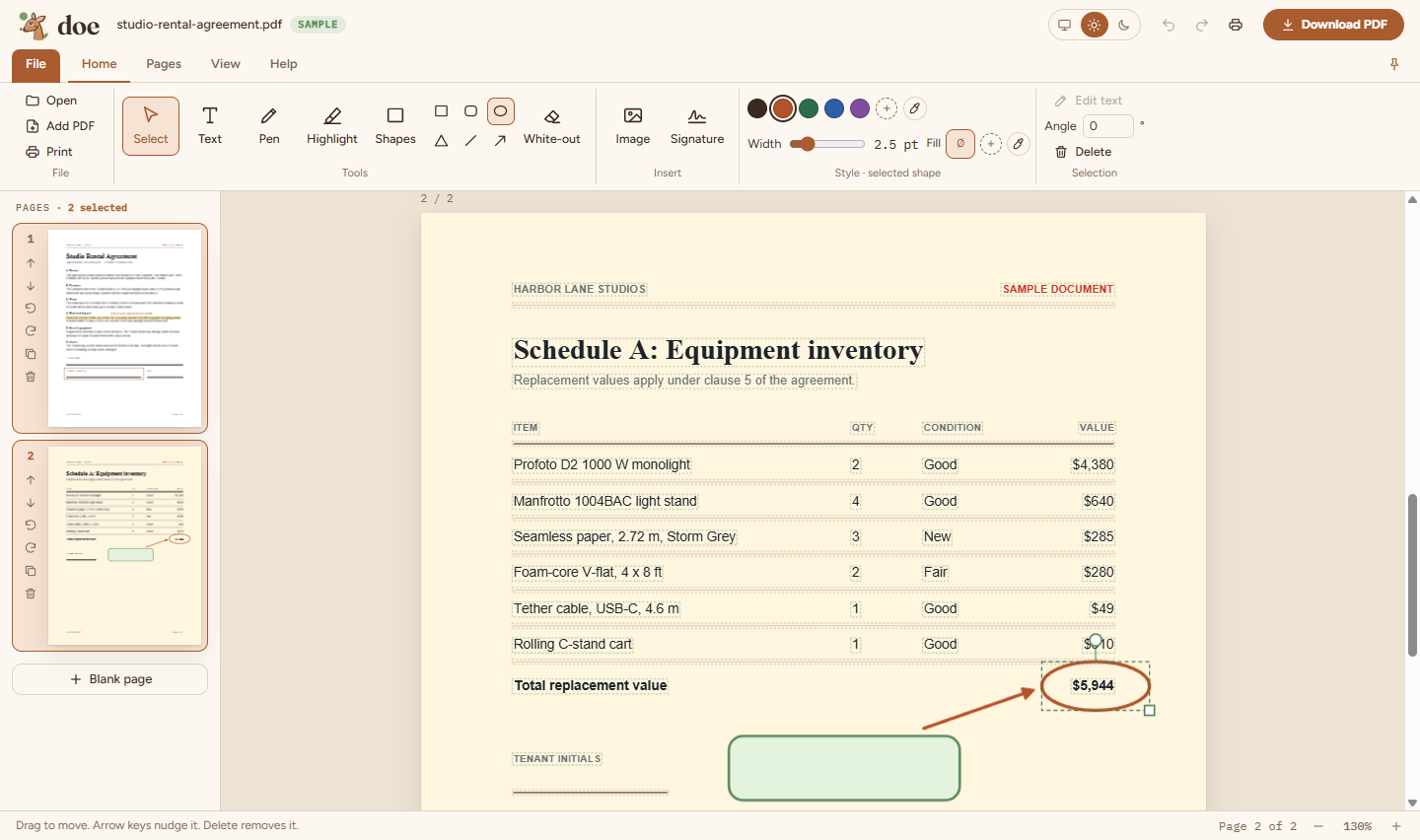
Add text, draw with a pen, highlight, draw boxes, white-out, insert images and place a drawn signature.
Edit what's already there
doe finds the existing text, images and shapes. Click one to move or restyle it, double-click to rewrite, or delete it.
Reorganise pages
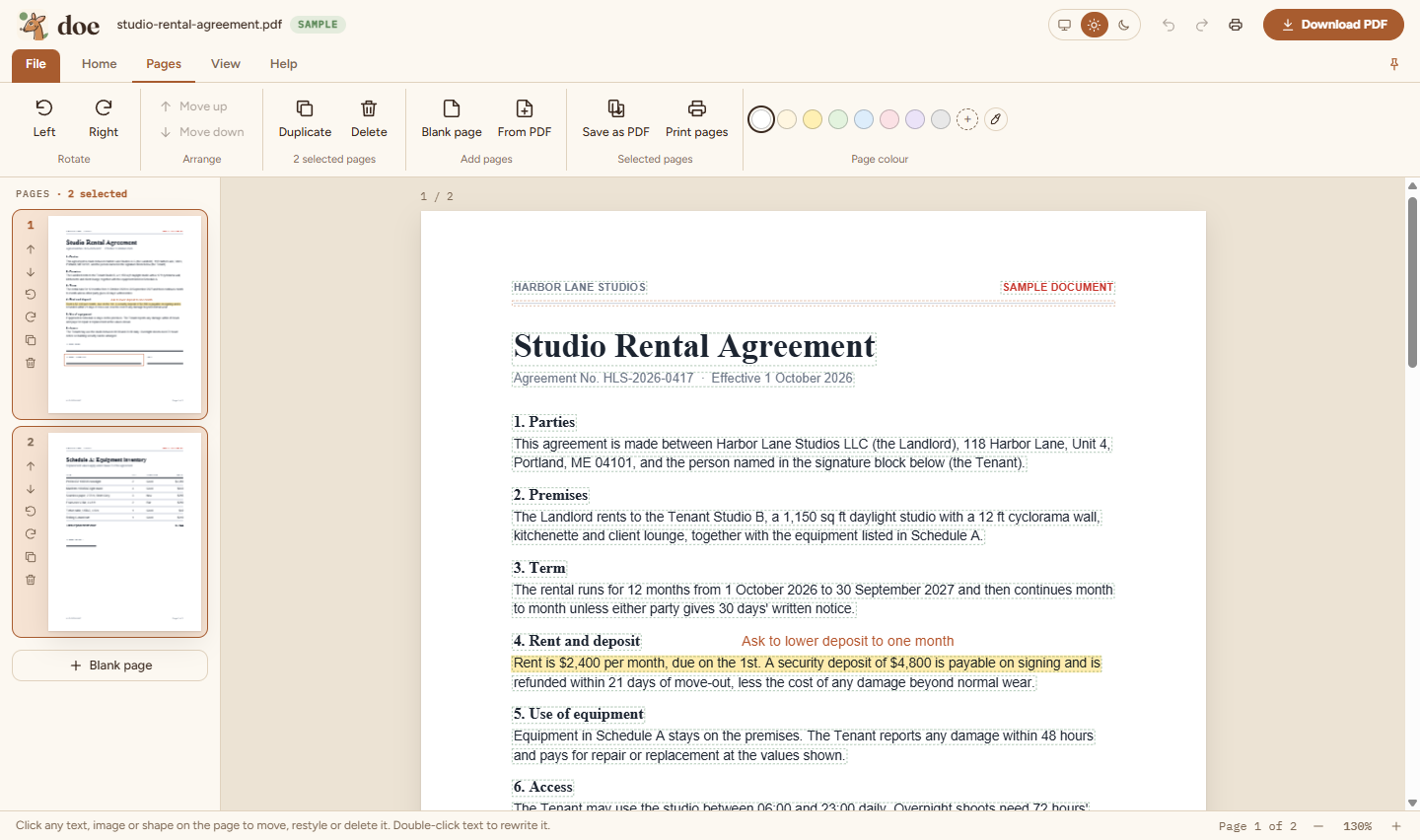
Select several pages, then rotate, move, duplicate or delete them together. Drag to reorder and merge in other PDFs.
Search everything
Ctrl+F highlights every match. Scanned pages are read with built-in text recognition (English and Chinese), fully offline, and saved scans become searchable in other apps too.
Select and copy like a browser
doe opens ready to select, copy and highlight text, including on scanned pages.
One window per document
Open several PDFs side by side. Opening one that's already open brings its window forward.
Shapes and coloured pages
Boxes, circles, triangles, lines and arrows with fill colours, page colours and an eyedropper.
Print with preview
Preview, paper tray, copies, orientation, paper size and two-sided printing.
Help and feedback
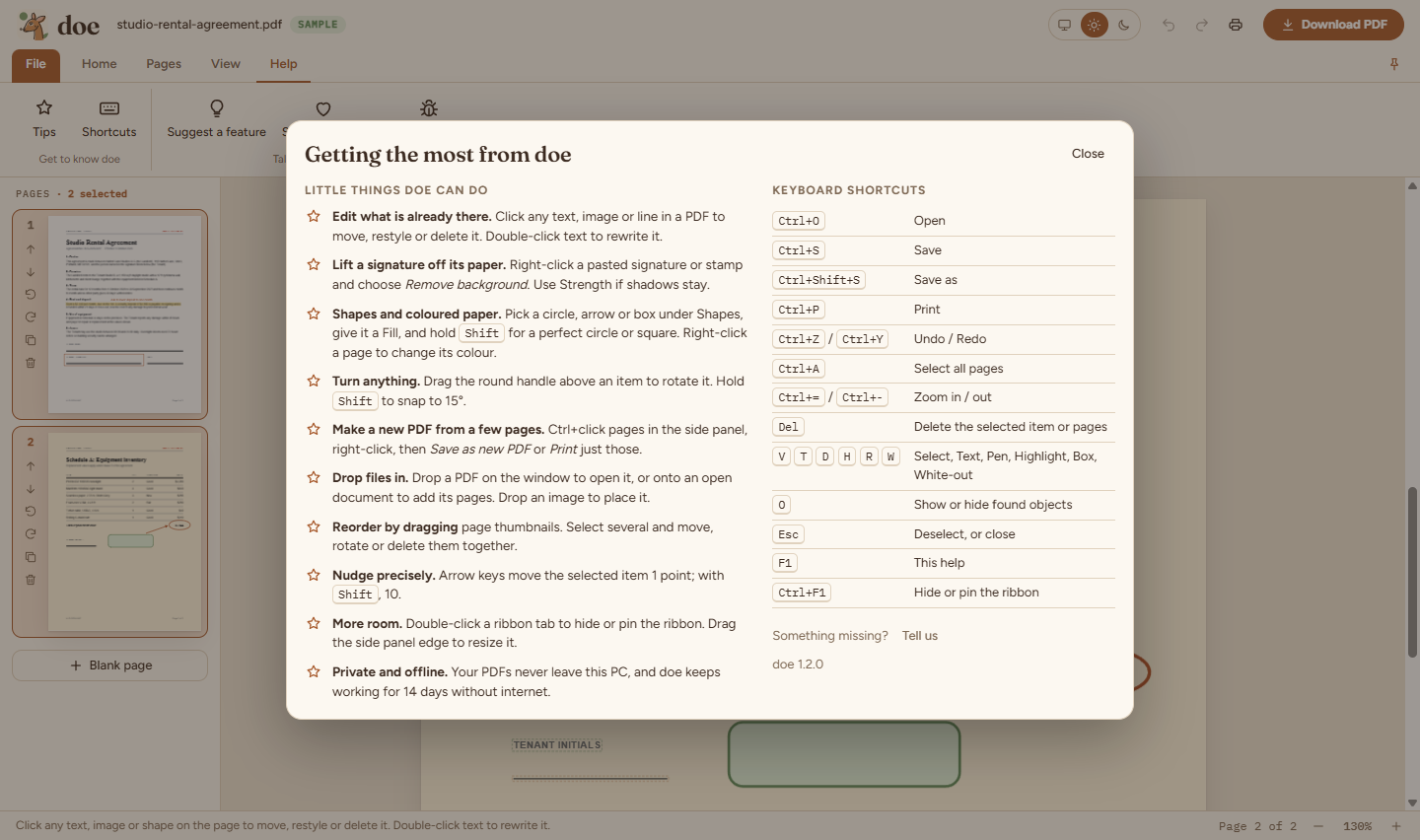
Tips and shortcuts in a Help tab, and a direct line to the doe team, who read every message.
File tab
Open, Save, Save as, Print and Close, just like Office. Pick pages to print or save as a new PDF.
Rotate and remove backgrounds
Turn any item to any angle, and strip the paper from a pasted signature or stamp.
Updates itself
New versions download quietly and install when you restart doe.
Private, calm and quick.
- Private by design. PDFs are opened and edited on your PC and never uploaded. Only sign-in talks to our server.
- Works offline. After signing in, doe keeps working for up to 14 days without internet.
- No passwords. Sign in with your email and a 6-digit code.
- Fast on scans. Copier scans open smoothly, without freezing.
- Light and dark themes, a ribbon you can pin or hide, and undo for everything.
Try doe free for 30 days.
No card needed. One account works on up to 3 PCs.
Windows may show "Windows protected your PC" because the installer isn't code-signed yet. Click More info, then Run anyway.
After installing, open doe and sign in with your email. Your 30-day free trial starts automatically.
Using doe 1.2 or older? Download 1.3 once, and it updates itself from then on. (MSI installs are updated by your IT team.)
- Version
- 1.3.0
- Size
- 113 MB
- Requires
- Windows 10 or 11, 64-bit
- IT teams
- MSI installer (126 MB), installs for all users via Intune, SCCM or Group Policy
Verify your download (SHA-256)
.exe 77a1359ca8646815d01b3810d059cec6dddfba22cac208a3138c21f09beac15b
.msi f8ea9db40622f7ecfb8f36719fb10ccc0e3093fbce695edd4079d3dcd0d5eaf8
Good to know
- Deleting or rewriting existing content covers it; the original stays in the file underneath. doe isn't a redaction tool.
- Rewritten text uses standard fonts (Helvetica, Times or Courier) and Latin characters.
- Saving writes a new PDF from the pages as you see them, so links and fillable form fields from the original aren't kept.
- Text recognition reads printed text, not handwriting, and takes a few seconds per page. Chinese text found on scans is searchable inside doe, but only Latin text is kept in saved files.
- doe is Windows only for now.